🎓 Final Year Computer Engineering Major Project • Mid-West University

AI Interview System

An AI-powered technical interview platform developed as a final-year Computer Engineering project.

An end-to-end automated interview platform that conducts webcam interviews, extracts multimodal behavioral signals (Text, Speech, and Facial Dynamics), and generates objective AI assessment scores without relying on external third-party APIs.

New candidate? Create Candidate Account
Operational Guide

How to Use the System

Step-by-step workflow from candidate profile enrollment to real-time interview assessment.

1️⃣

Register & Photo

Register with your name and capture a webcam baseline profile photo. The system issues your permanent Candidate ID (e.g. CID-2026-XXXXXX).

2️⃣

Upload CV (Guard)

Upload your PDF/DOCX resume. The NLP engine extracts technical skills, while the Name Verification Guard ensures the CV belongs to the registered user.

3️⃣

Adaptive Interview

Enter the webcam studio. The system reads questions via TTS, listens to spoken responses, and adapts technical difficulty dynamically.

4️⃣

Solitary Proctoring

Webcam frames monitor for solitary test conditions. If an unauthorized second face appears, the system immediately triggers a warning alert.

5️⃣

Evaluation Report

Inspect your multimodal score breakdown (Technical, Communication, Confidence) with strengths, tips, and question-by-question playback.

Registration ➔ Resume Verification ➔ Adaptive Interview ➔ Proctoring Surveillance ➔ AI Assessment Report
Live System Telemetry

Adaptive Interview & Proctoring Warnings

How the platform monitors test integrity and adapts question difficulty during a live assessment.
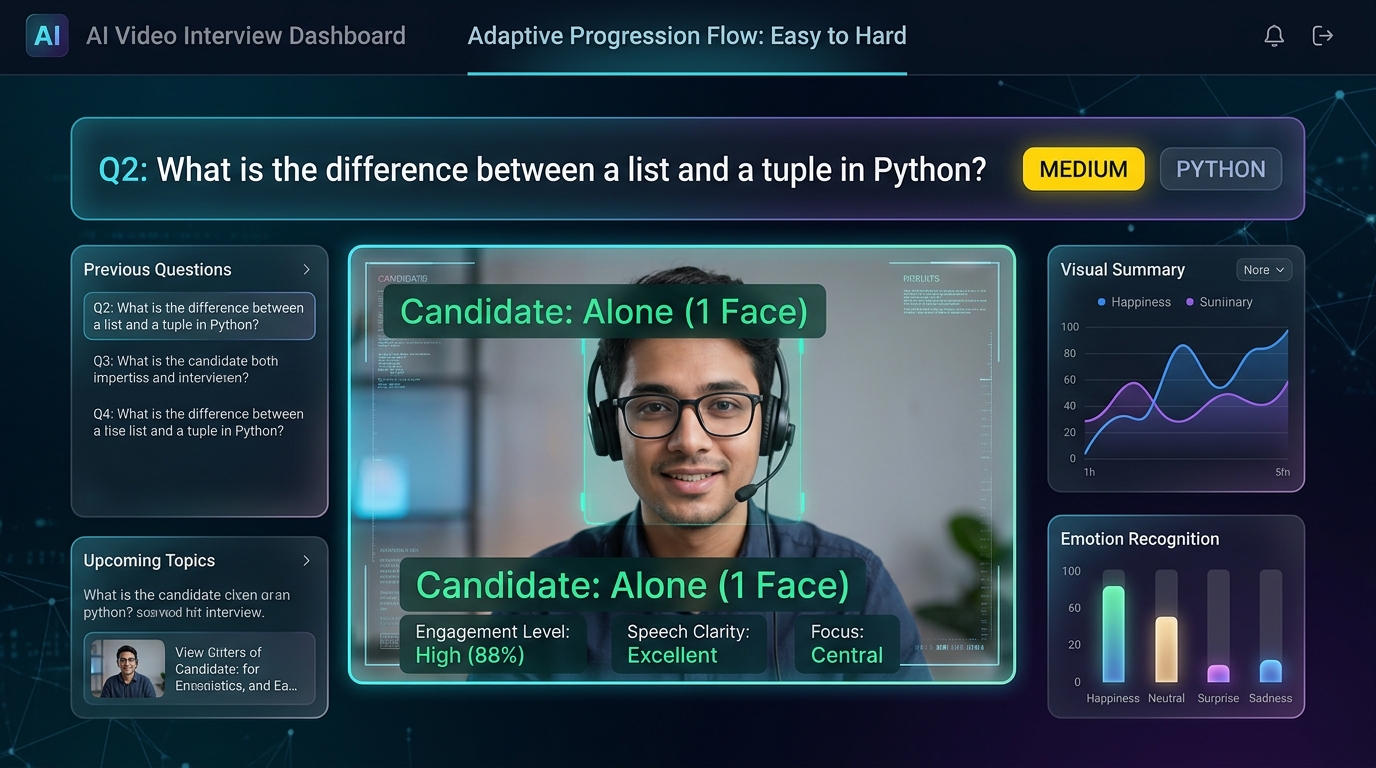
Adaptive Interview UI showing solitary candidate
Normal State: Solitary Candidate (1 Face)
HUD confirms candidate is alone. Questions dynamically progress in difficulty (Easy → Medium → Hard) based on live response quality.
Alone (1 Face)
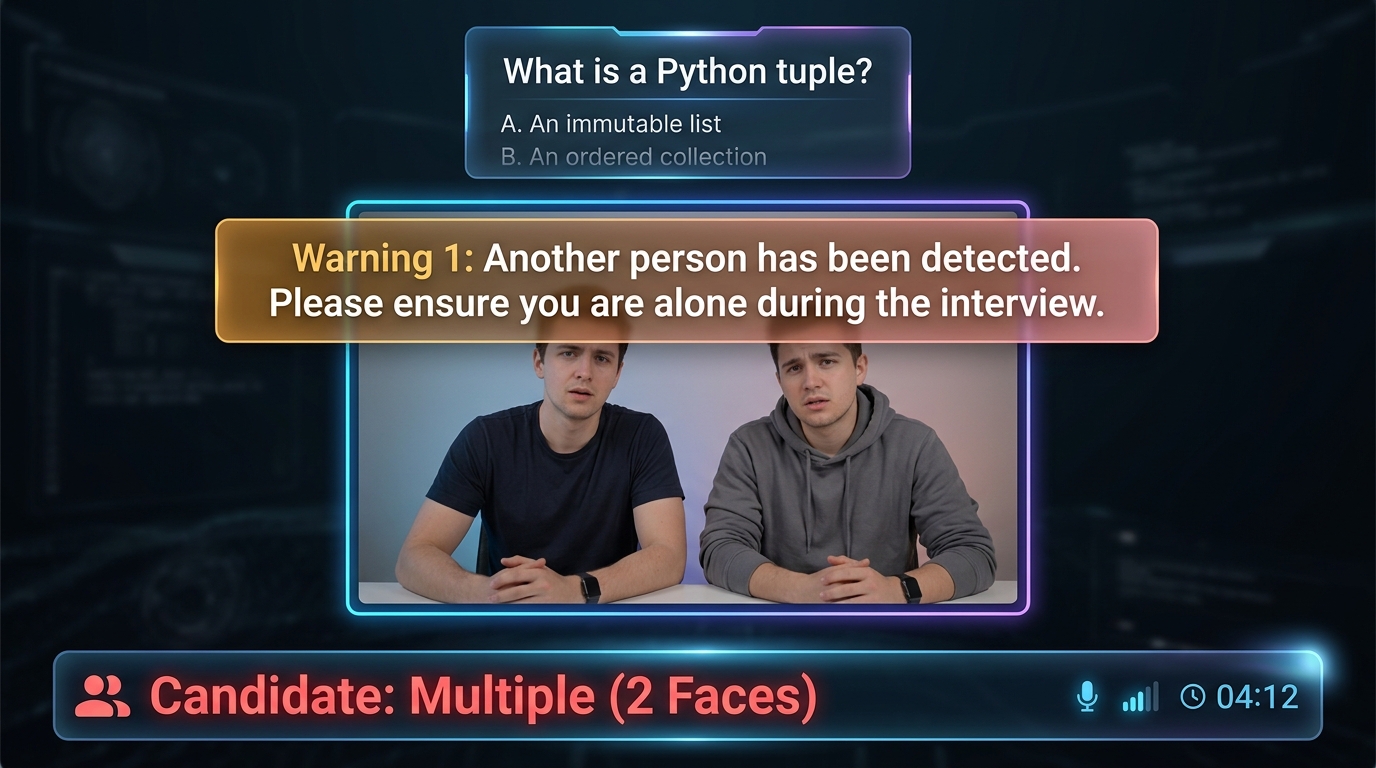
Proctoring Warning Alert showing multiple faces
Warning 1: Multiple Faces Detected
Instant warning banner triggers when unauthorized persons appear: "Warning 1: Another person has been detected. Please ensure you are alone during the interview."
Warning 1 Alert